
1
Walk and talk
Wear Meta AI glasses, hold up your phone, or upload a video you already shot. Say "flag that" when you see a problem.
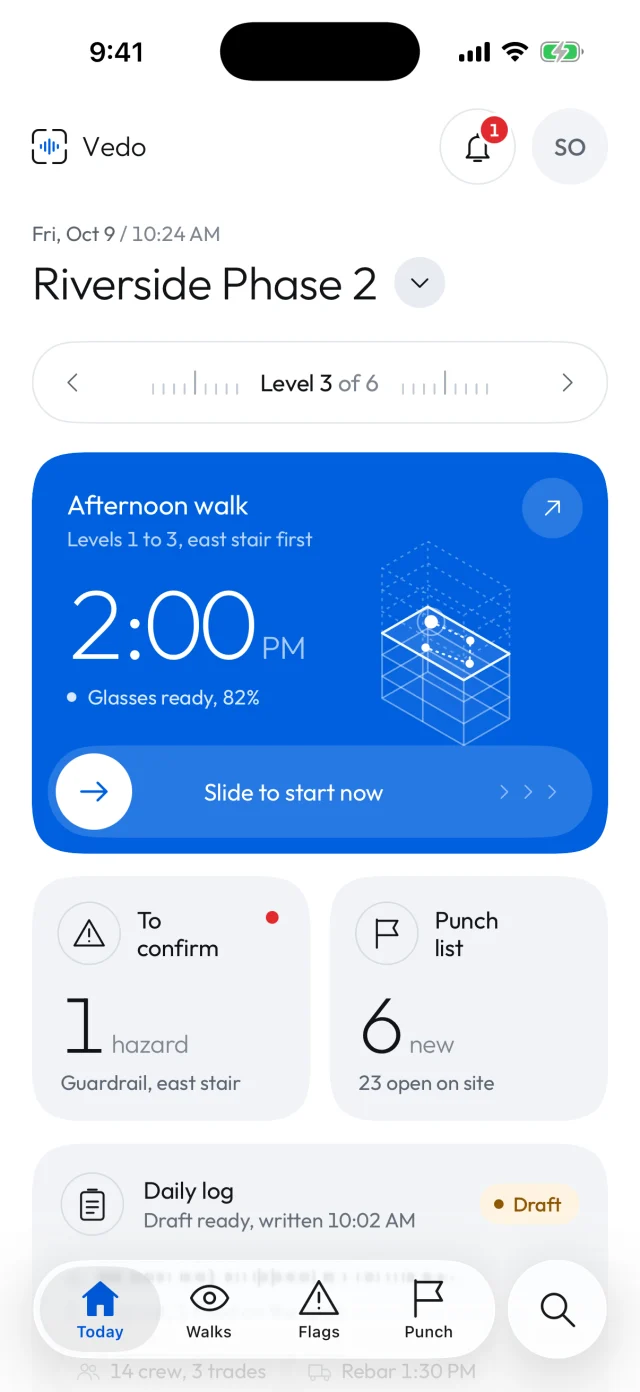
Wear Meta AI glasses or use your phone. Vedo records the walk, flags hazards against your local safety code, builds the punch list and drafts the daily log for you to approve.
Walk the site the way you do now and say what you see. Vedo does the writing, and you decide what goes out.
Wear Meta AI glasses, hold up your phone, or upload a video you already shot. Say "flag that" when you see a problem.
Hazards against your province's safety code, punch items and progress, each with the photo and the level it was on.
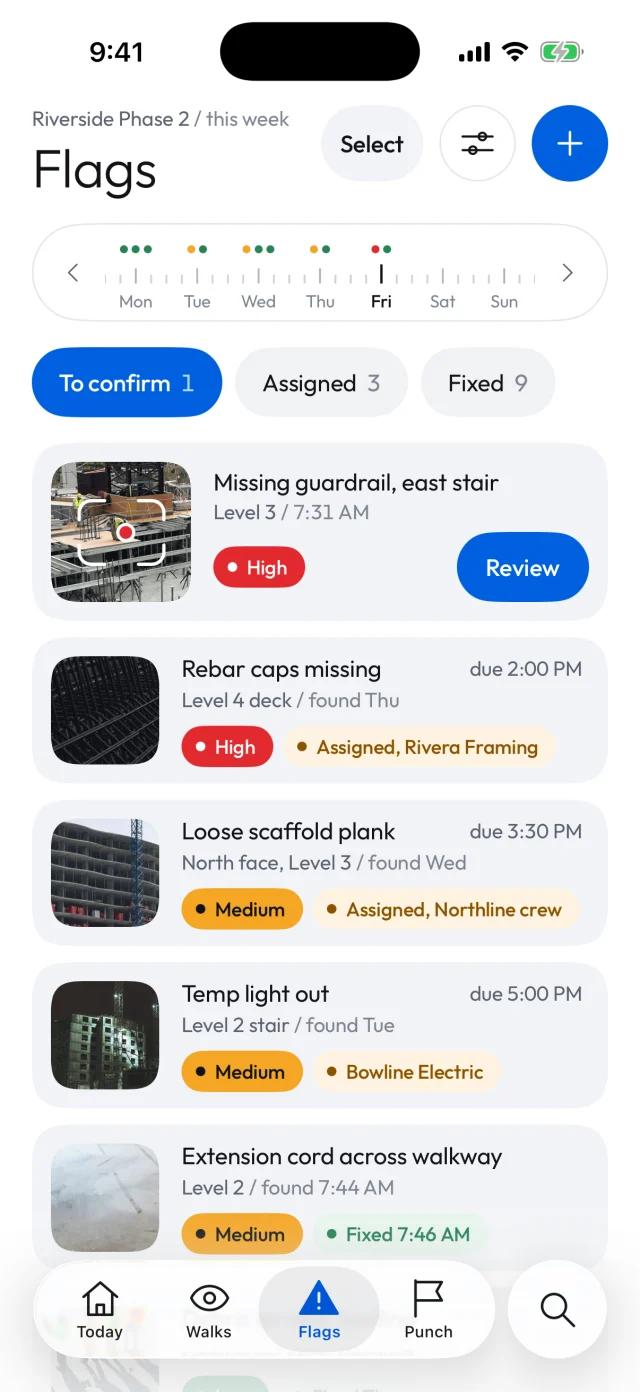
Confirm the flags, assign them to trades and send the daily log. Nothing goes out until you say so.
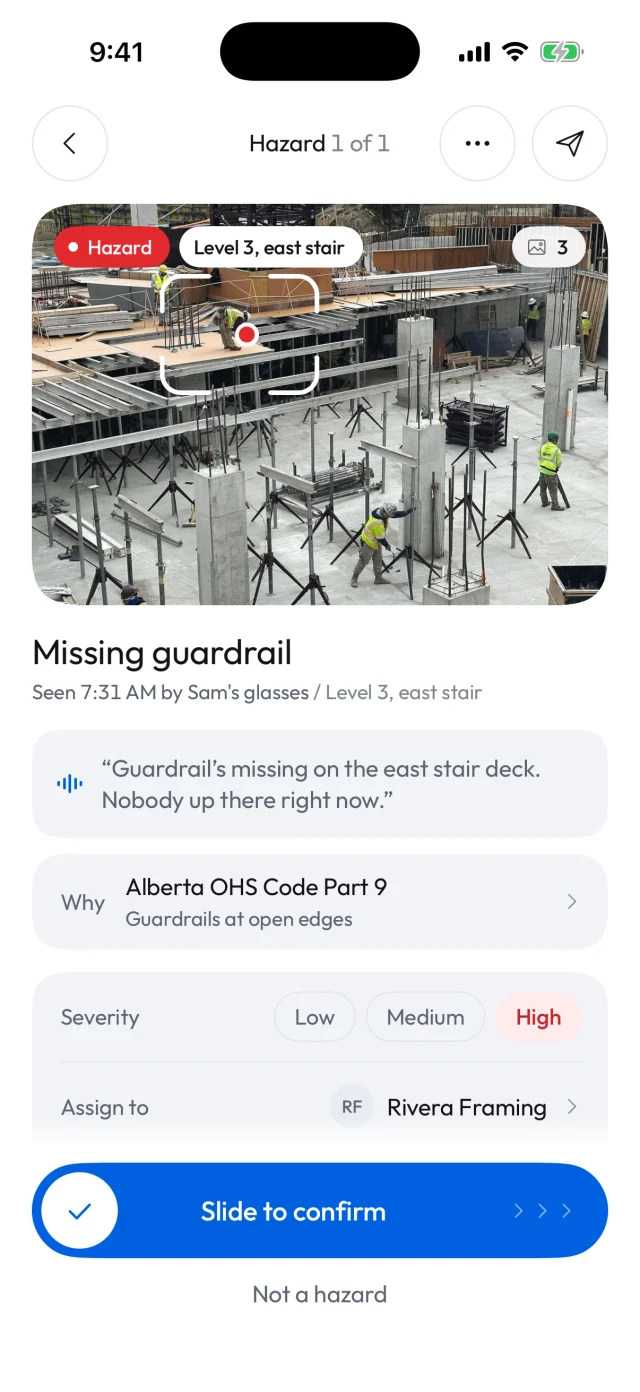
Vedo checks what it sees and hears on the walk against the occupational health and safety code where you build. You confirm each flag in one tap, or mark it not a hazard.
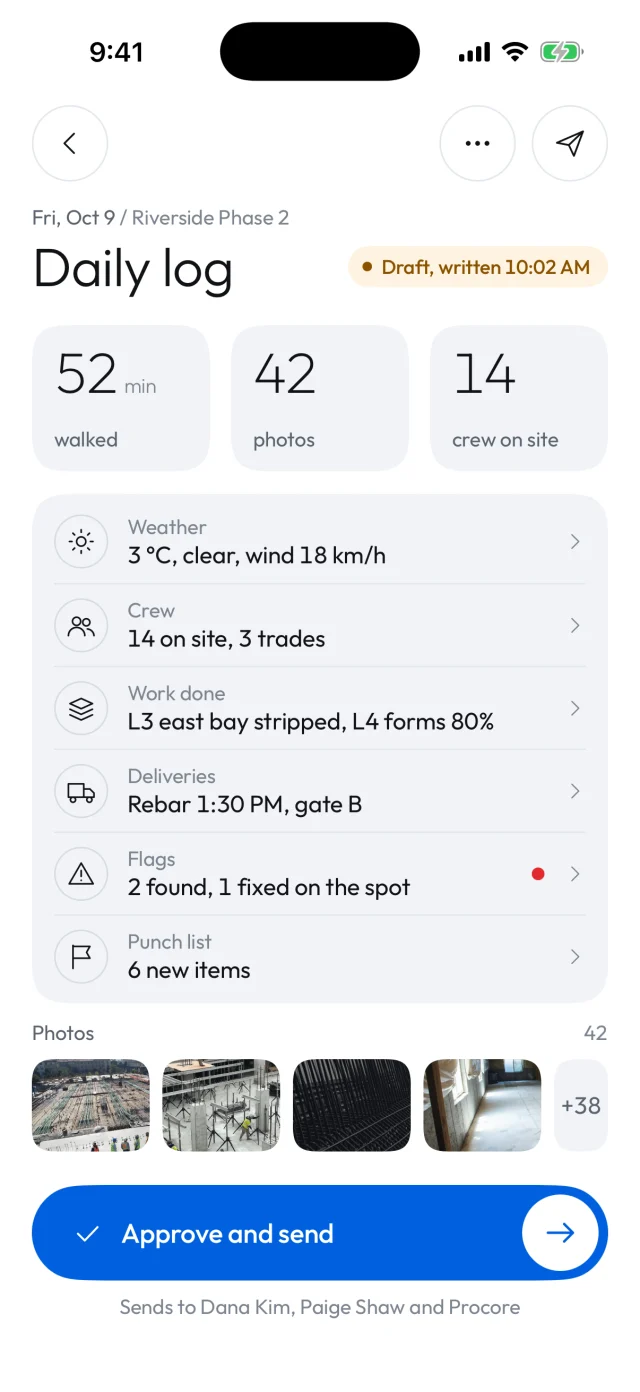
Weather, crew on site, work done, deliveries, flags and the punch list, filled in from the day's walks and photos. Read it, change anything, and approve it.
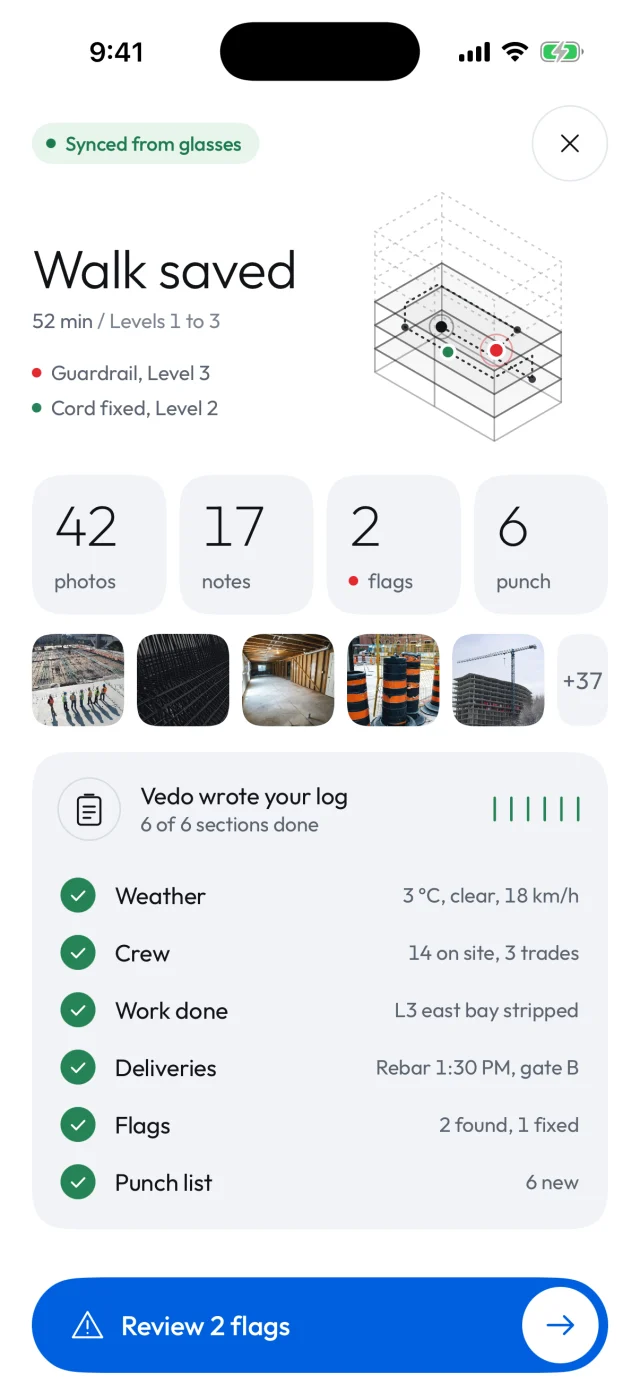
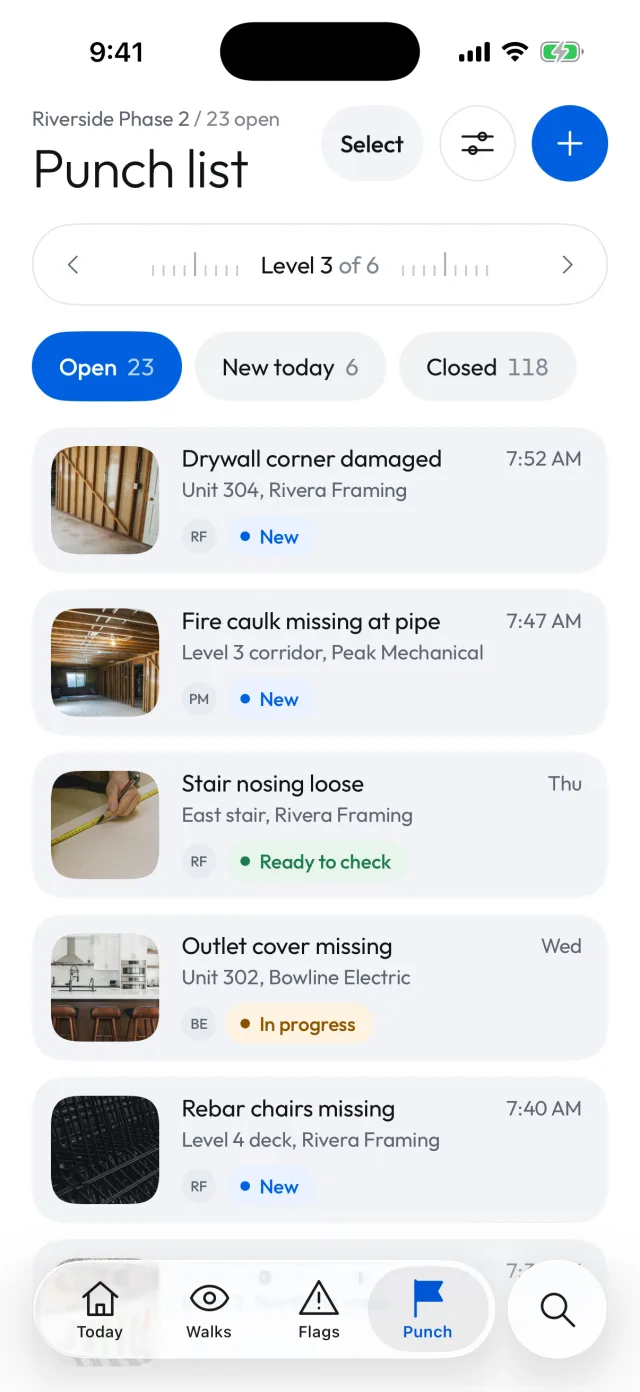
The same walk keeps the punch list, the homeowners and tomorrow's plan up to date.
Items from every walk, by level and trade. Trades open a link to mark them fixed, with no app to install.
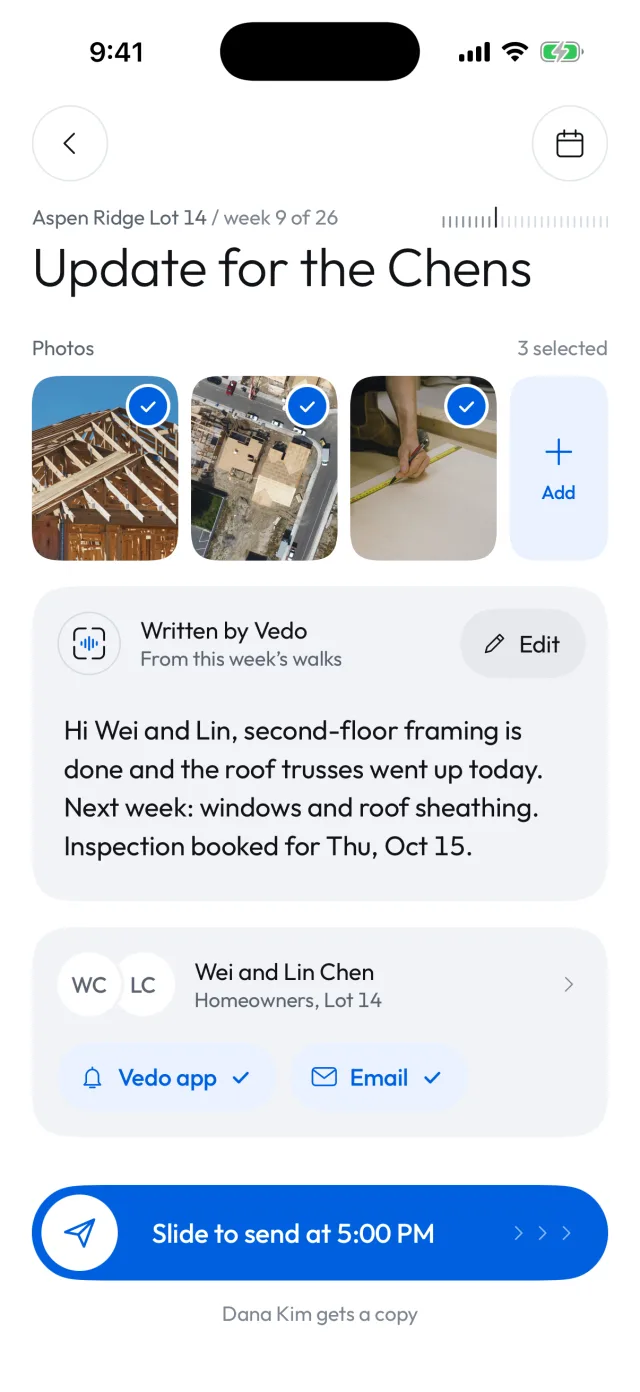
A weekly note for each homeowner, written from the week's walks with the photos you pick. You edit it, Vedo sends it.
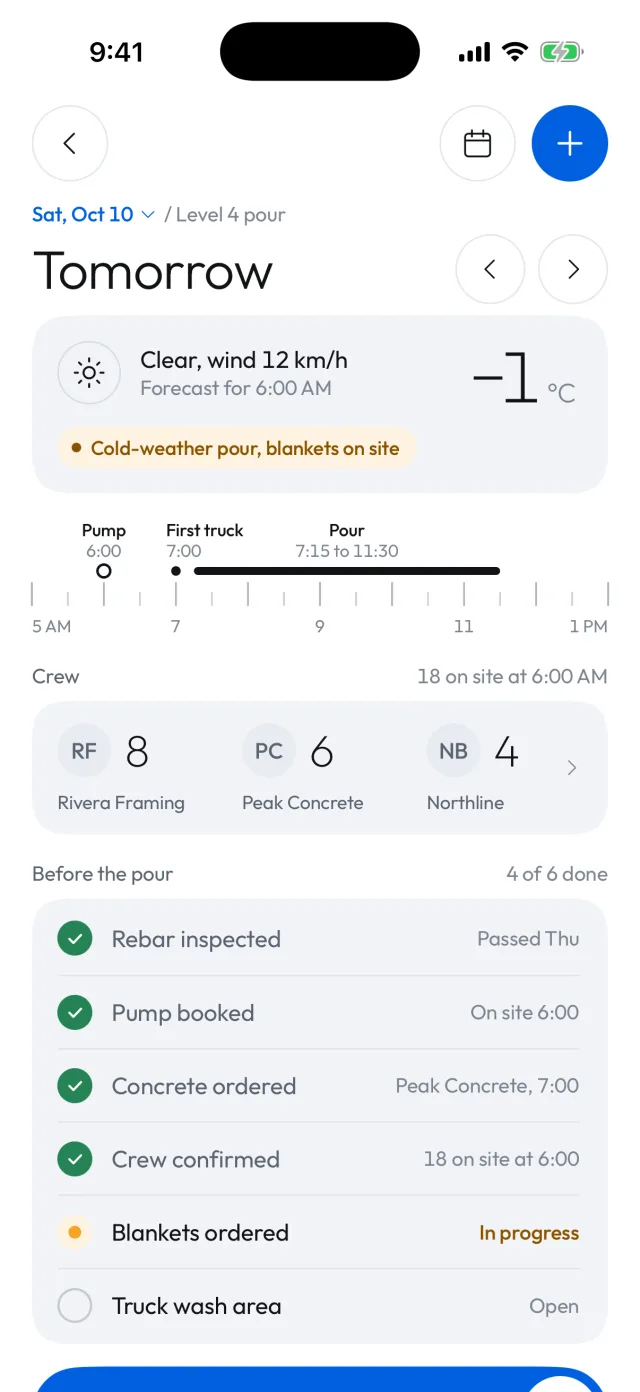
Weather, crews, the pour timeline and the checklist before it, ready before you leave the site.
Pick where the site is and every hazard Vedo flags cites that place's code. Federal rules, all 13 provinces and territories, and local rules for 26 cities.
Walk, talk and approve. No typing up the day after the crews have gone home.
Logs, flags and photos from every site, every day, in the same format.
A record of every site, and homeowners who hear from you every week.
Book a demo and we'll walk you through it, or join the waitlist and we'll be in touch.