
Everything one walk can write for you.
Vedo records the walk, works out what it saw, and drafts the paperwork. You check it, change what you want, and send it.
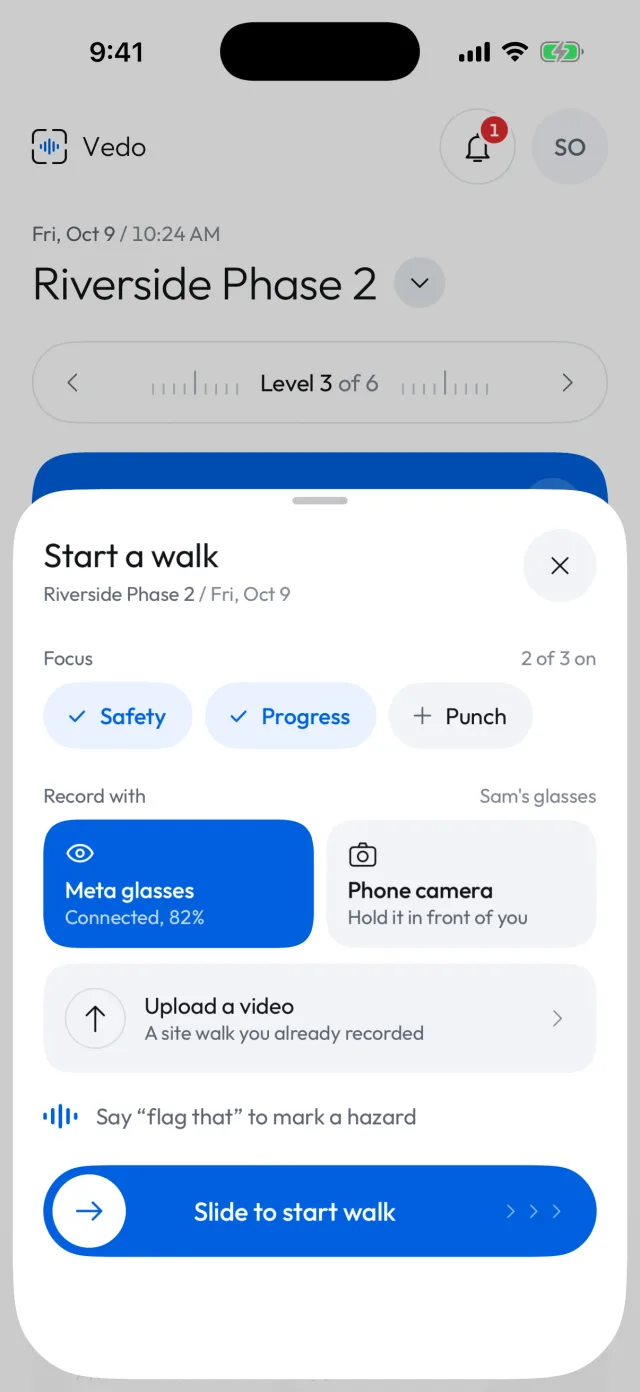
Record the walk your way.
Start a walk and pick how to record it. Glasses keep your hands free, the phone works anywhere, and a video you shot earlier is read the same way.
- Meta AI glasses, the phone camera, or an uploaded video
- Say "flag that" to mark something on the spot
- Vedo works out which level you are on from what you say, what the camera sees and the phone's barometer
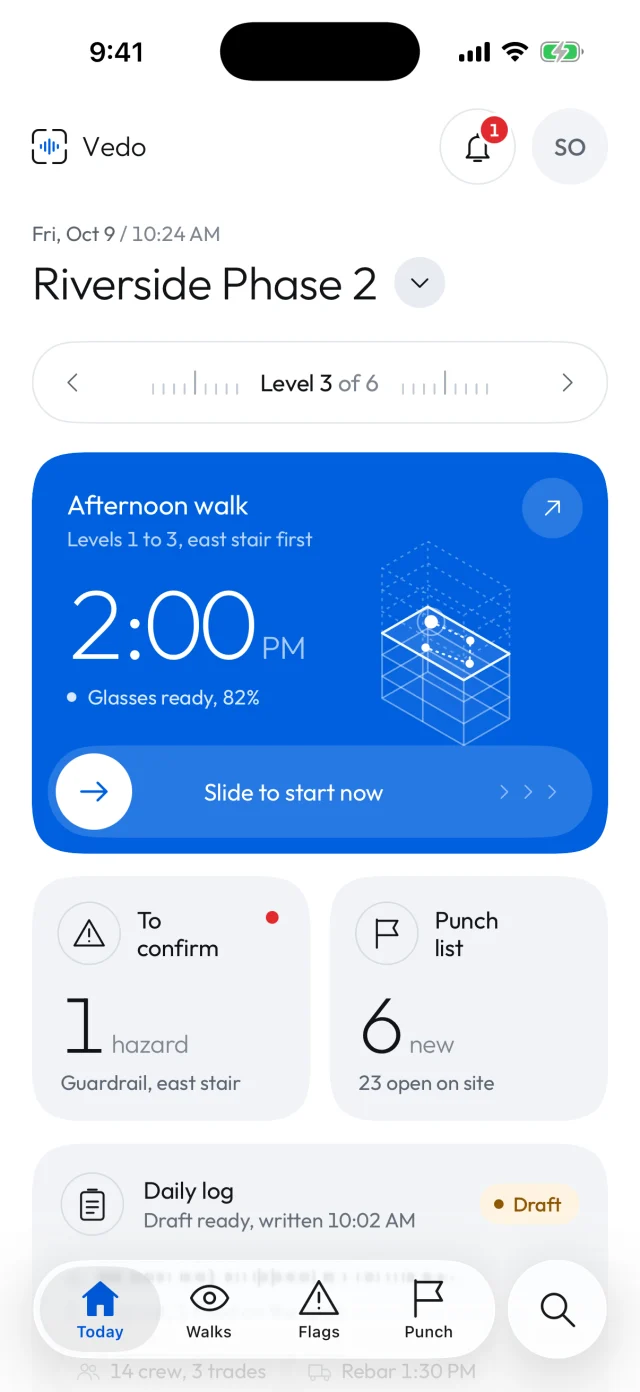
The day on one screen.
Your next walk, what needs you, and where the log stands, for the site and level you are on.
- The next walk, with the glasses' battery
- Hazards to confirm and new punch items
- The daily log's draft, as soon as it is written
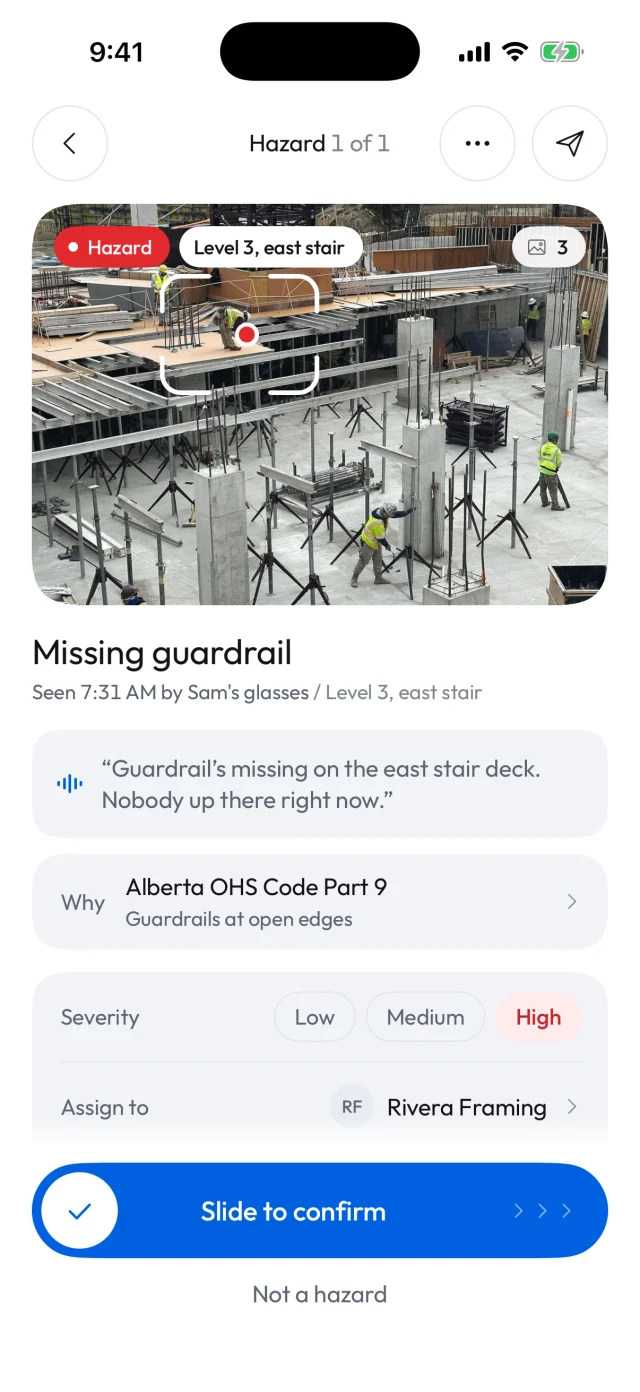
Flags you confirm, with the rule behind them.
When Vedo sees a hazard it shows you the photo, what was said and the rule from your province's safety code. Nothing reaches a trade until you confirm it.
- Confirm in one tap, or mark it not a hazard
- Set the severity and the trade that fixes it
- Trades get a link with the photo and mark it fixed from there
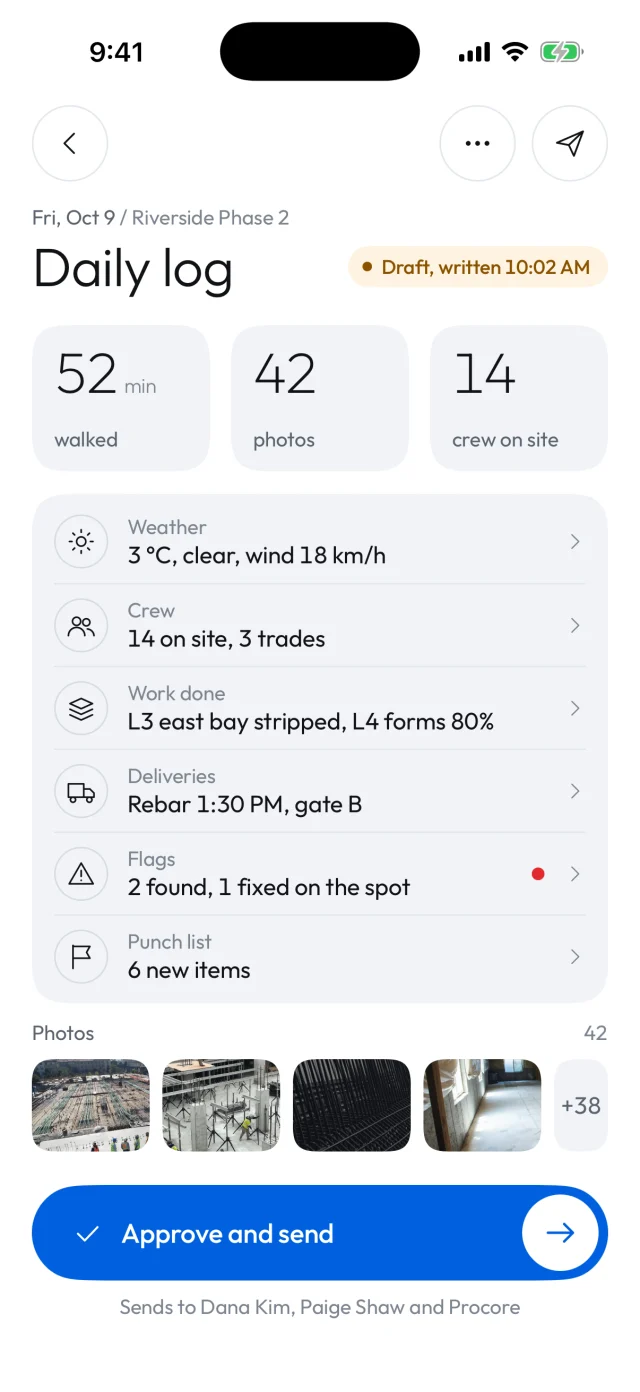
The daily log, drafted from the day's walks.
Vedo fills in each section from what it saw and heard. Read it, change anything, and approve it to send it to your team.
- Weather, crew, work done, deliveries, flags and punch list
- Every photo from the walk, attached
- Sent to the people you choose when you approve it
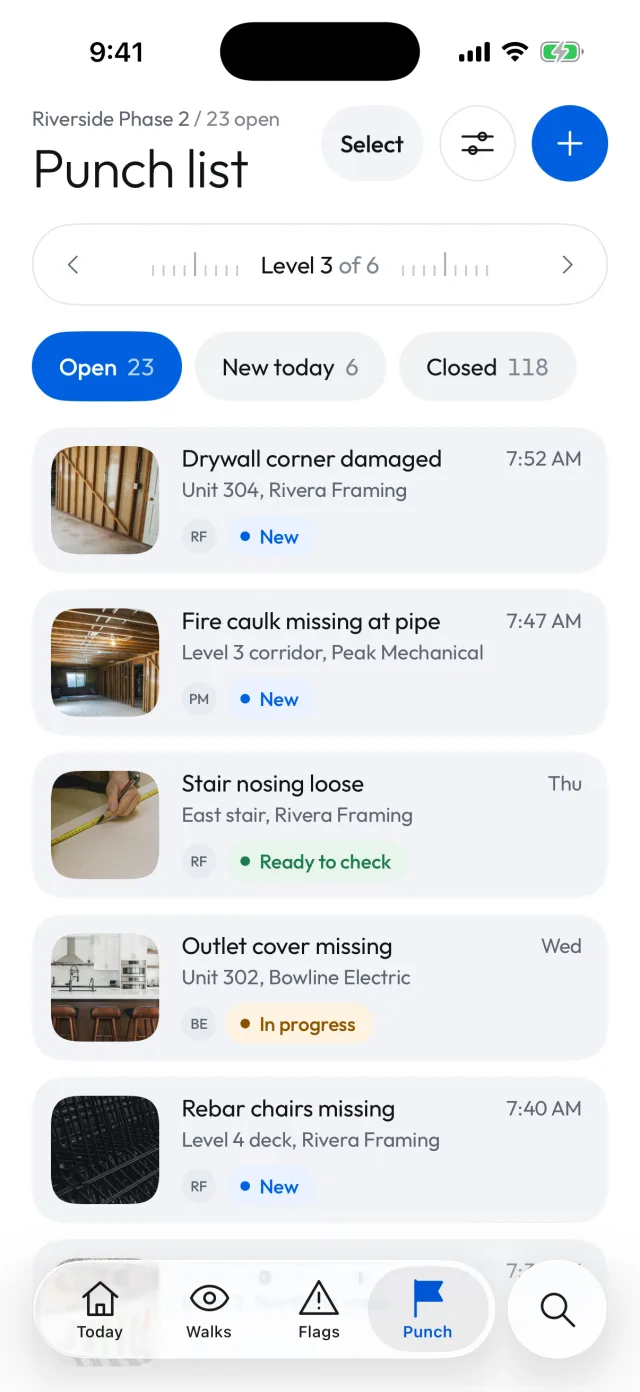
A punch list that keeps up with the site.
Items found on each walk land on the list with the photo, the unit or level, and the trade. You see what is new today, what is in progress and what is ready to check.
- Sorted by level, filtered by trade
- Trades mark items fixed with an after photo
- You check it and close it
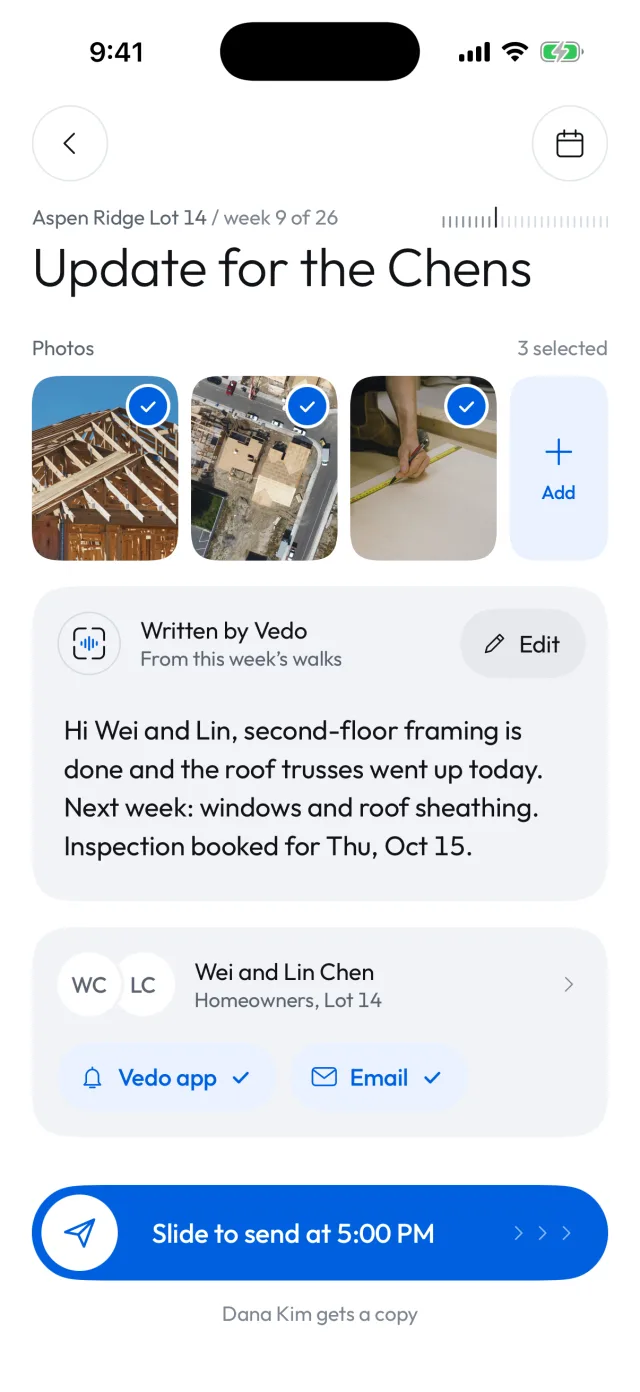
Homeowners hear from you every week.
Vedo writes a short update for each homeowner from the week's walks and picks the photos. You edit it, and it goes by email or the Vedo app.
- Written in plain words, from what really happened on site
- Your photos, chosen and ready to send
- Review each one first, or let them go at 5:00 PM
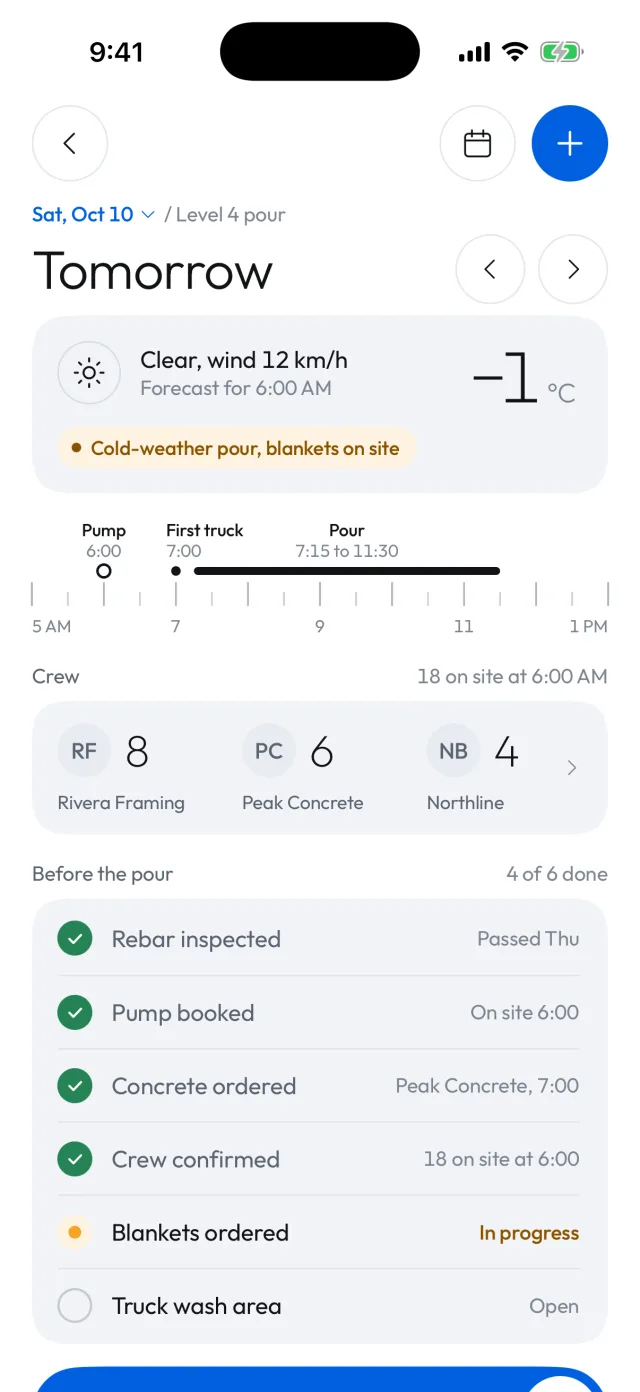
Tomorrow, planned before you leave.
The forecast, the crews coming in, the timeline for a pour and the checklist before it, on one screen.
- Weather warnings, like a cold-weather pour
- Crews by trade, with their start times
- What is done and what is still open before the work starts
See Vedo on one of your sites.
Book a demo and we'll walk you through it, or join the waitlist and we'll be in touch.